
Overview
SmartFlow offers two options for how treatment sheets are structured over time. Each hospital configures this at the account level, and the choice determines how the 24-hour treatment cycle is anchored. This article explains the two modes, the workflow tradeoffs of each, how to configure the setting, and how the choice interacts with treatment templates.
The Two Modes
Fixed Time Window
The hospital sets a specific start time, and all treatment sheets run on that 24-hour cycle regardless of when the patient arrives. For example, if the hospital sets the fixed time window to start at 12:00 AM, every treatment sheet runs from 12:00 AM to 11:59 PM, and a new sheet begins at midnight.
When this mode works well:
- Hospitals with shift-based clinical workflows that align with calendar days
- Hospitals where reporting, billing, or staff handoff is structured around fixed time boundaries
- Hospitals that prefer all patients on the same daily cycle for consistency across the floor
Workflow consideration:
Patients admitted later in the day will have a shorter first sheet — for example, a patient admitted at 9:00 PM under a midnight-anchored fixed window will have a treatment sheet that ends three hours later. The next 24-hour sheet begins at the configured start time.
Patient Arrival (Admission-Based)
The 24-hour treatment cycle begins when the patient arrives. Each patient's treatment sheet runs from their admission time forward, so the cycle is anchored to the individual patient rather than the calendar.
When this mode works well:
- Hospitals where treatment continuity per patient is the primary workflow consideration
- Hospitals that want to avoid mid-treatment page breaks at fixed clock times
- Hospitals where patients are admitted at varied times throughout the day and night
Workflow consideration:
Treatment sheets do not align across patients — each patient's sheet runs on its own clock. Staff handoff and reporting need to accommodate the per-patient cycle rather than a unified hospital-wide schedule.
How to Configure
The All Flowsheets Begin at setting is configured at the hospital level by the Level 6 hospital role.
NOTE: The Settings are only available from the web version but not from the iPad.
To change the setting:
- Log in to your SmartFlow admin account from the web
- Click the user icon in the top right corner
- Select Settings
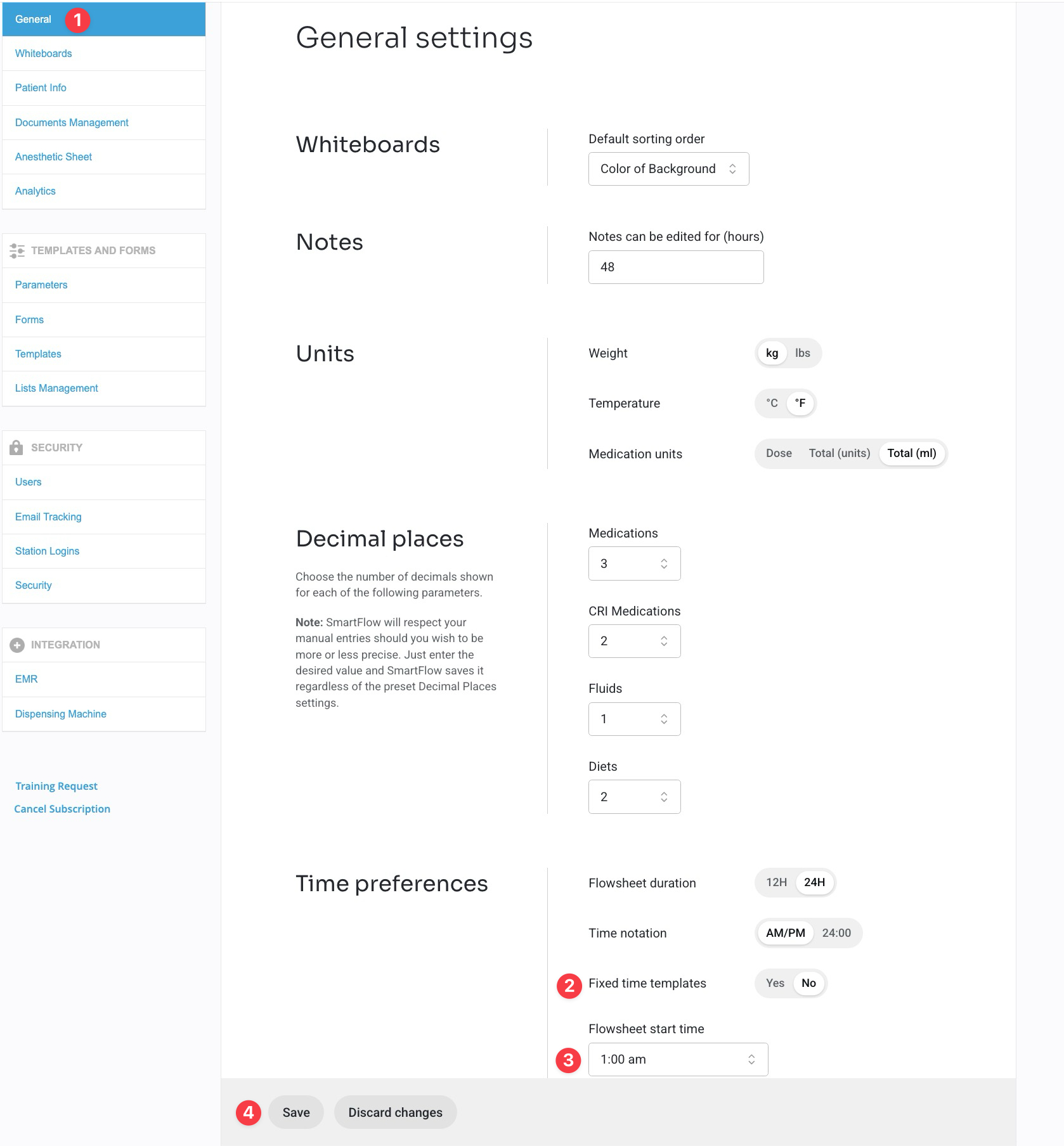
- Open the General tab
- Locate the All Flowsheets Begin at dropdown
- Choose either:
- A specific time of day (for Fixed Time Window mode), or
- Patient arrival (for Patient Arrival mode)
- Save
Setting Fixed Time Window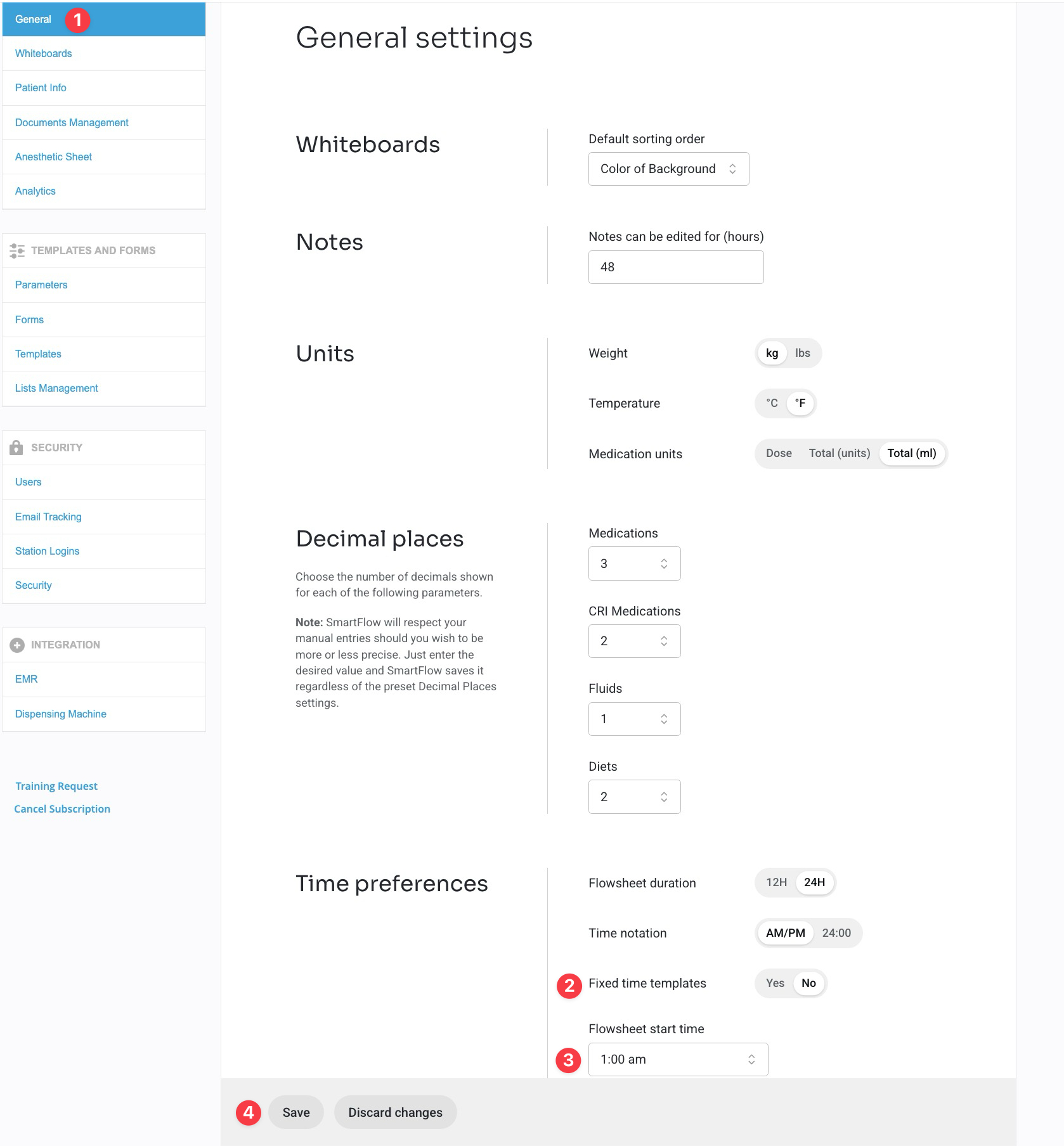
Setting by Patient Arrival Time
The choice can be changed at any time, though changing this setting affects how new treatment sheets are structured going forward and should be coordinated with clinical leadership.
Templates and Mode Compatibility
Treatment templates in SmartFlow are configured as either fixed-time or non-fixed. The relationship between the All Flowsheets Begin at setting and template availability is as follows:
- When a specific start time is selected (Fixed Time Window mode), both fixed-time and non-fixed templates are available for use. The Fixed Time Templates toggle is active in this configuration.
- When Patient arrival is selected (Patient Arrival mode), only non-fixed templates can be used. The Fixed Time Templates toggle is disabled in this configuration, since fixed-time templates assume a clock-anchored 24-hour cycle that does not exist under Patient Arrival.
Choosing the Right Mode for Your Hospital
Both modes are valid clinical workflows, and the choice depends on how your hospital operates. Hospitals typically choose based on:
- Whether their reporting and handoff workflows are calendar-anchored or patient-anchored
- Whether they prefer consistent daily cycles across all patients or per-patient cycles
- Whether they experience friction with mid-treatment page breaks at fixed clock times